

Clear trend signals and automated trading for MetaTrader 5
Four indicator + Expert Advisor tools for gold (XAUUSD) and Bitcoin. Each draws clean Buy and Sell signals on your chart, and the EA can place the trade, set the stop loss and take profit, and alert your phone, all under your control.
Start your 30-day free trial30 days free, then $29/month. Cancel anytime before the trial ends and you pay nothing.
5
Indicator + Expert Advisor tools in one download
30
Days free trial on a live or demo account
1
Licence key for 1 live + 1 demo MT5 account
Everything you need on one chart
Signals, risk control and alerts that work the same way in every tool.
Clear Buy / Sell signals
Labels appear right on the candle, so you see the entry, the trend direction and the level the signal is based on at a glance.
Automatic or semi-automatic
Let the EA open and manage trades, or switch Auto Entry off and get alerts only while you decide.
Stop loss on every trade
Each trade is sent with a stop loss at the broker. Drag the stop loss or take-profit lines on the chart to change them.
News filter
No new trades around major US news such as NFP, CPI and Fed decisions, with the windows shaded on your chart.
Alerts on your phone
Sound, pop-up, MT5 push notifications and Telegram messages for new trades, take profits and warnings.
Support and resistance built in
Support/resistance zones, an adaptive trend channel and Bullish/Bearish reversal markers on a clean dark chart.
Start trading today. It costs nothing to begin
New to trading? Follow these five steps to practise gold trading with our tools, without risking any money.
Open a free broker account
Choose a well-known, regulated CFD broker that offers gold (XAUUSD) on MetaTrader 5. Opening an account is free.
Create a free demo account
In your broker's client area, open a demo account. It trades with virtual money, so you can learn without risking a cent. Highly recommended for beginners.
Start your free 30-day trial with us
Sign up on Whop (creating a Whop account is free). Your licence key and the indicator + Expert Advisor files for MT5 are ready to download straight away.
Install MetaTrader 5
Download the free MetaTrader 5 program from your broker's website. It runs best on a Windows PC or laptop; a Mac version is also available.
Practise on demo for at least a week
Log in to your demo account in MT5, add our tools and trade gold with virtual money. Then decide:
Ended with virtual losses? Cancel anytime before your 30-day trial ends and you pay nothing.
Happy with the results? Move to a live account and start with the smallest size, 0.01 lot: 1 ounce of gold, so a $1 move in the gold price means $1 profit or loss. It needs only about $10-40 of margin, depending on your broker's leverage.
One week is a short test, so practise longer if you can. Demo results do not guarantee live results; only trade money you can afford to lose.
Start your free 30-day trial
Why we built these tools for gold (XAUUSD)
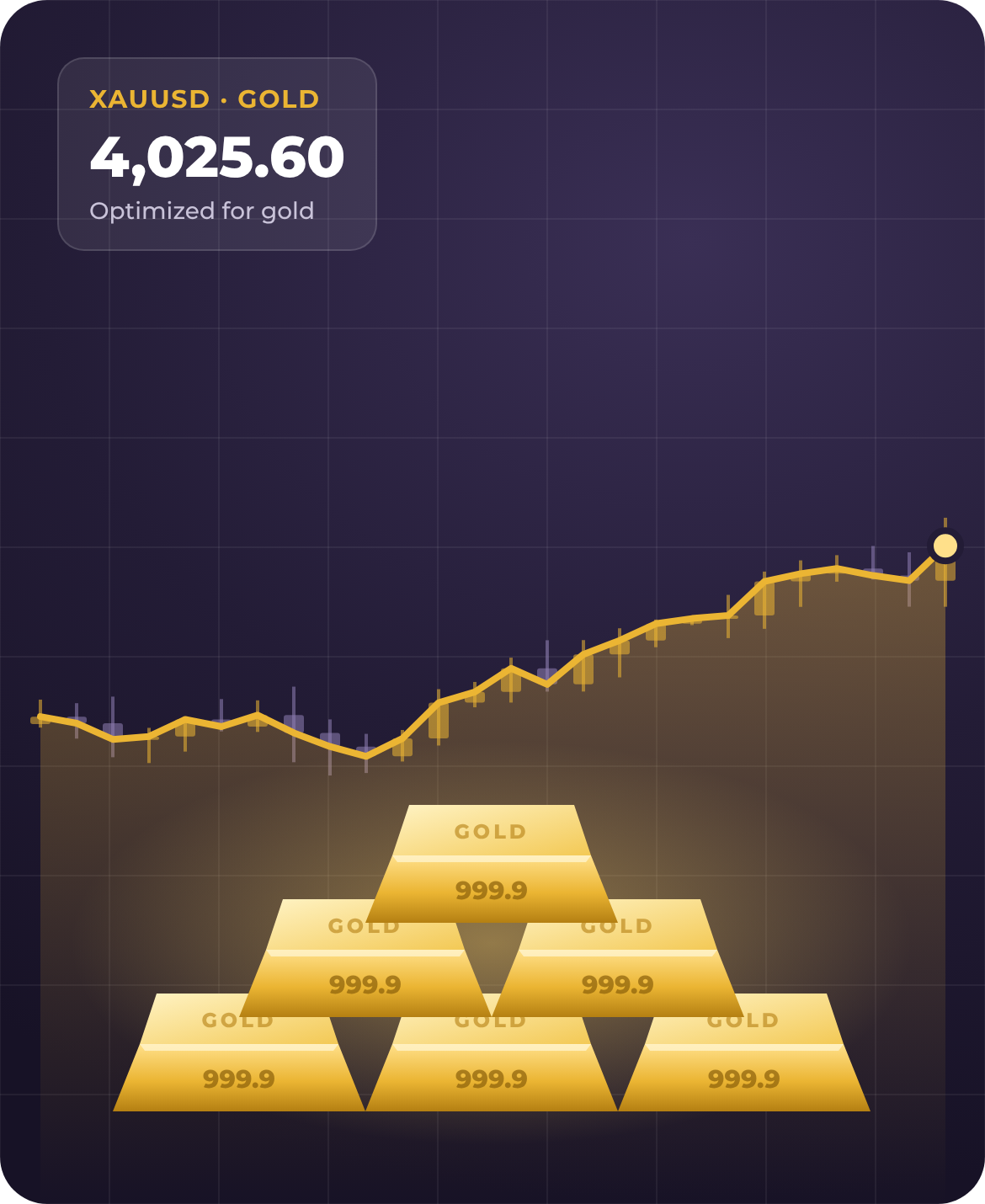
Gold is one of the most traded markets in the world, and it suits short-term trend trading better than most. Our signals, stop losses and presets were tuned on gold first.
Low cost per trade. Gold CFD spreads are often around $0.20-0.50 per ounce in busy hours, a tiny fraction of a typical move, so more of each move stays in your pocket.
It moves enough. In 2026 gold has typically moved $60-120 between its daily high and low, so a 3- or 15-minute trend can reach its target, while most forex pairs move far less.
Clear drivers. Gold reacts to the US dollar, interest rates and scheduled US news, so the built-in news filter can keep you out of the wildest minutes.
Calmer than Bitcoin. Bitcoin CFDs usually have wider spreads for their price, bigger random swings and thin weekend trading; gold trades 5 days a week in deep, steady liquidity.
Works on all markets and timeframes
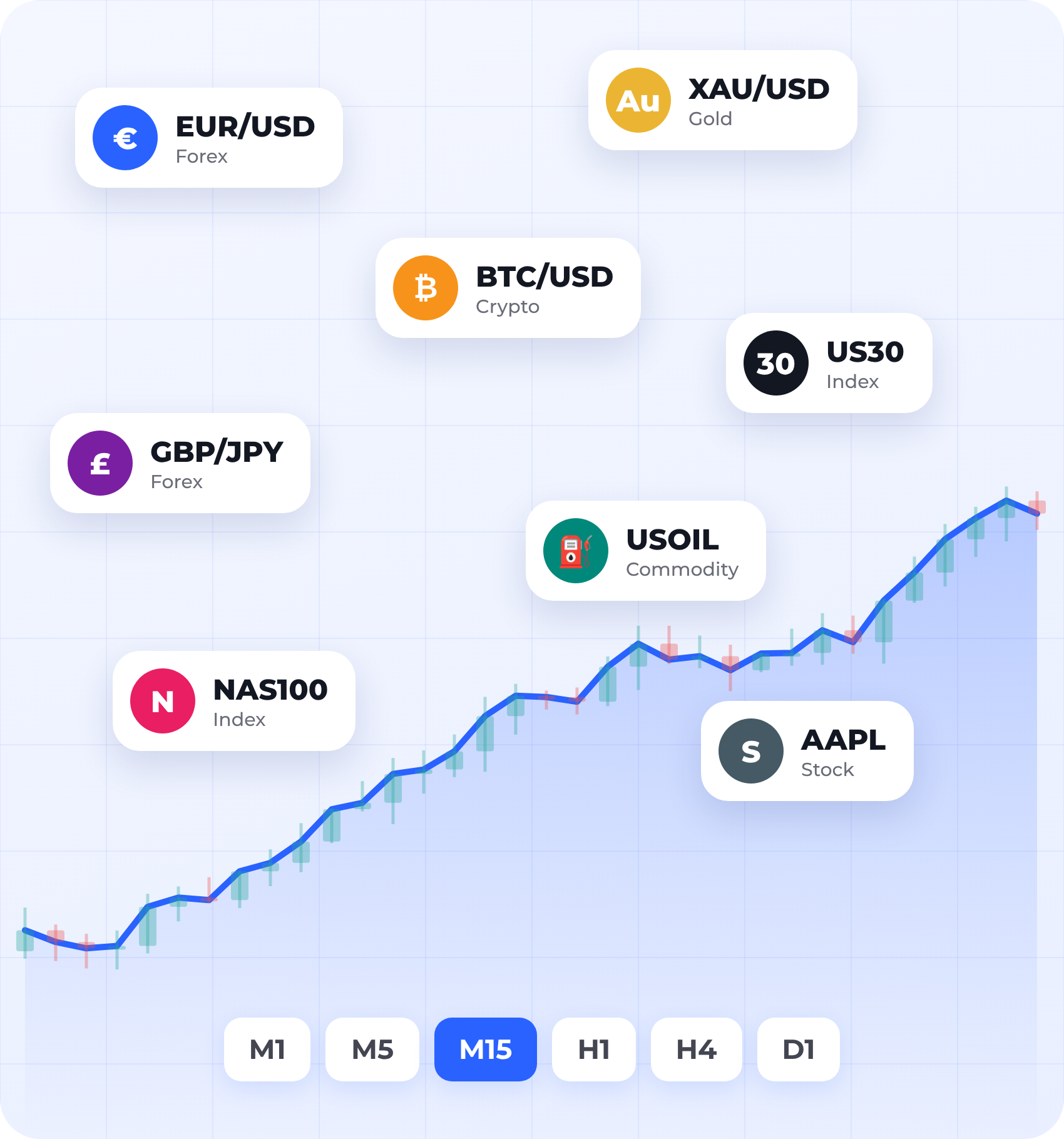
Use the Algo indicators on any market your MetaTrader 5 broker offers, including Forex, Crypto, Gold, Stocks, Indices, Futures, Commodities and more, on any timeframe from 1 minute to daily.
Scalping, day trading or swing trading: choose the tool and timeframe that fit your style.
Tested settings for gold and Bitcoin: the presets and the EAs' stop loss and targets are tuned for XAUUSD (and BTCUSD for Algo Breakouts Pro). On other markets, test on a demo account first and adjust the lot size and stop loss.
Timeframe-specific tools: most EAs are tuned for M3, and Algo Master Pro also comes in an M15 version; each EA only trades on its timeframe unless you change the setting.
Set up in three steps
From trial sign-up to signals on your chart in about 10 minutes.
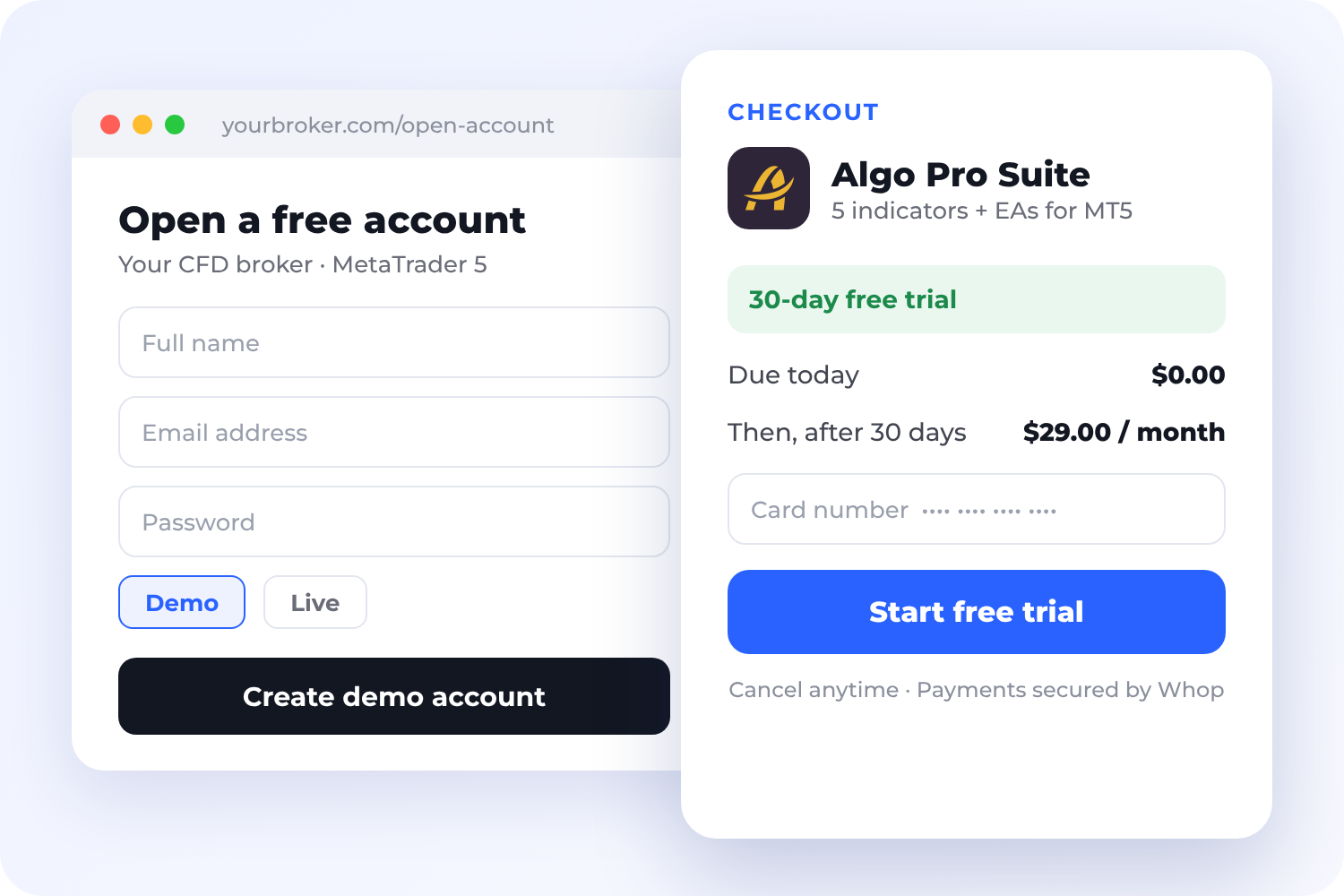
1. Start your free trial on Whop
Enter your card details to begin; nothing is charged for 30 days. Your licence key and download link appear in your Whop account instantly.
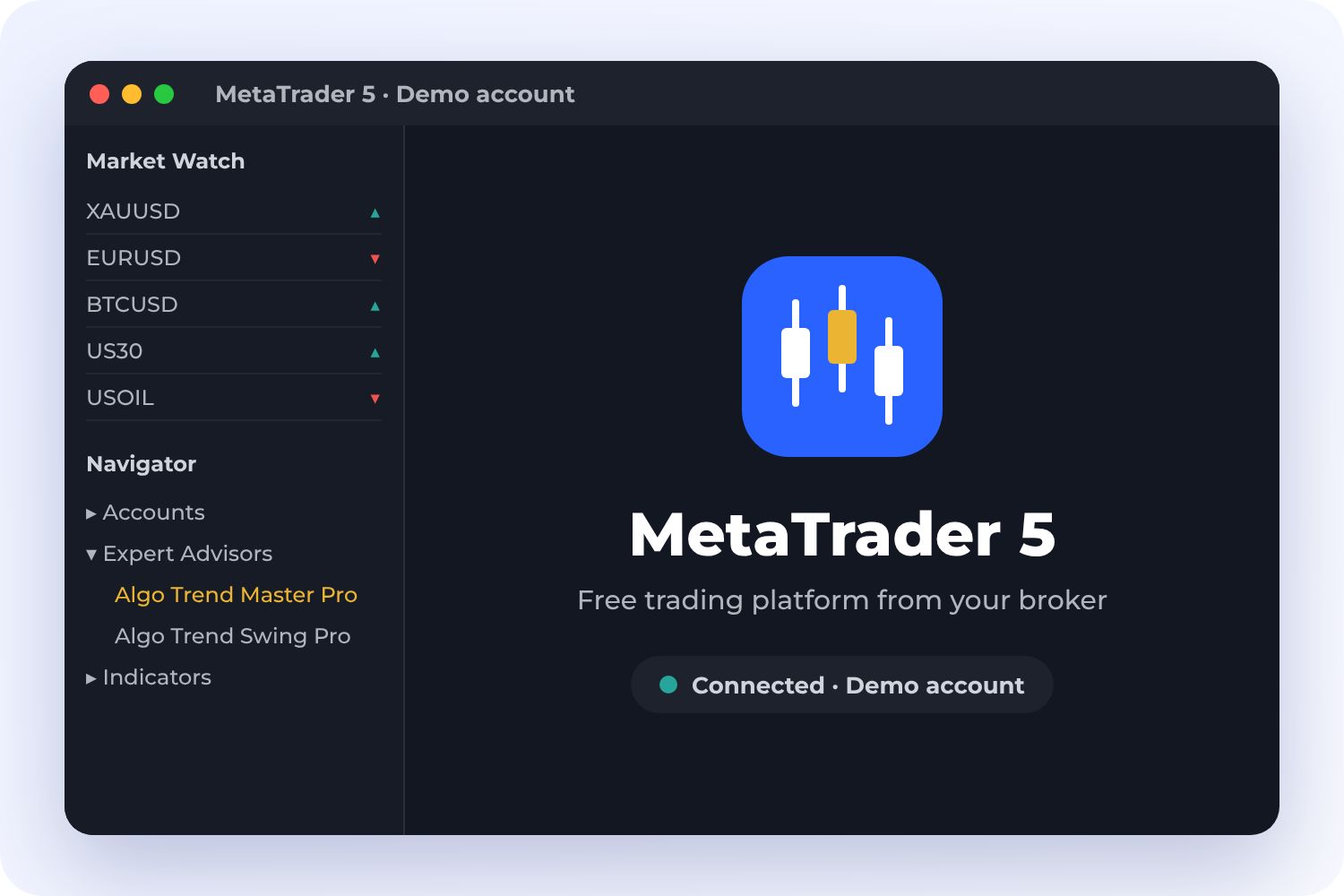
2. Install on MetaTrader 5
Copy the files into MT5, allow the licence server once and paste your key into the EA. The PDF guide walks you through it.
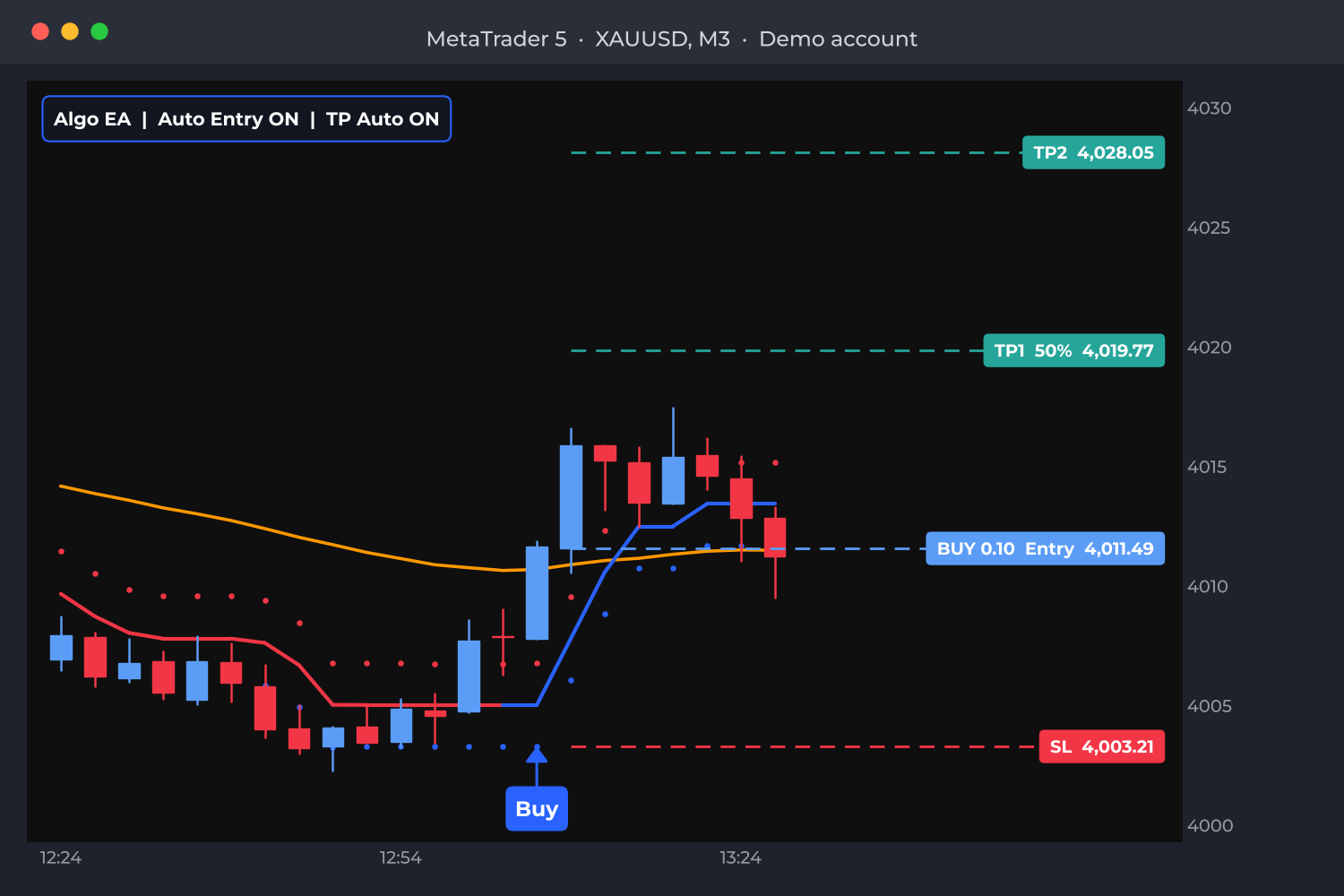
3. Attach the EA and watch
Drag one EA onto a chart; it adds its indicator and control panel. Start on a demo account until you know how it behaves.
After 30 days your card is charged $29 per month. Cancel anytime in your Whop account, with no questions asked.
Four tools, one subscription
Pick the style that suits you: reversals, scalping, swings or HalfTrend signals.
Algo Breakouts Pro
Catch the turn at the edge of the trend
Algo Breakouts Pro looks for a candle that pushes outside the trend channel and then closes back the other way, a sign the move is running out. It marks a green BUY or red SELL triangle and only trades when price is stretched to the edge of the adaptive channel. Built for XAUUSD and BTCUSD on the 3-minute chart.
-
Entry: the next candle must turn in the signal direction and hold for 10 seconds before the trade opens, which filters out quick fakes.
-
Exit: close it yourself, let the trend-change exit close it, or switch on TP Auto (part closed at the first target, stop moved to breakeven, rest at the second target).
-
Risk: a fixed money stop loss at the broker, for example $50 on 0.10 lot gold.


Algo Scalper Pro
Ride short moves with a trailing-stop line
Algo Scalper Pro draws an ATR trailing-stop line under price in an up trend (blue) and above it in a down trend (orange). When price closes through the line, a BUY or SELL appears. An Alligator filter greys out signals while the market is moving sideways. Built for XAUUSD on the 3-minute chart.
-
Entry: live, as soon as price stays beyond the line for 15 seconds.
-
Exit: semi-automatic. You decide when to take profit, with a money stop loss as protection and an optional automatic take profit.
-
Warnings: if an opposite signal appears, or a signal disappears when the candle closes, you get a "consider closing" alert.
Algo Swing Pro
Follow the trend, take profit in two steps
Algo Swing Pro uses a Supertrend line, green below price in an up trend and red above it in a down trend. When a candle closes and the line flips, it opens the trade automatically and marks where each target was reached. Built for XAUUSD on the 3-minute chart.
-
Two targets: at the first target 60% of the trade closes and the stop loss moves into profit; the second target closes the rest.
-
Reversal: the opposite signal closes the trade and opens the new direction.
-
Safety: an emergency stop loss at the broker on every trade.

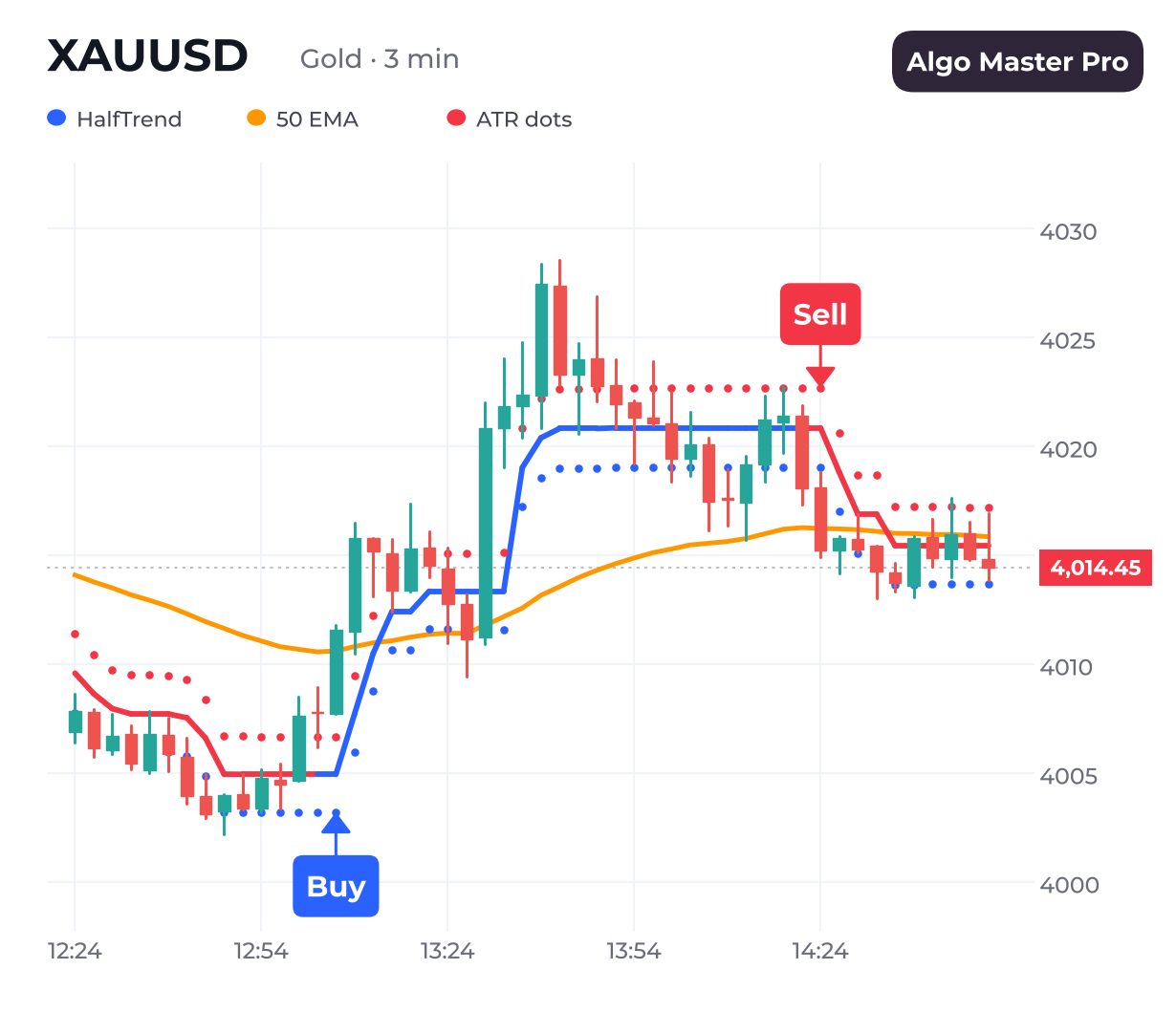
Algo Master Pro
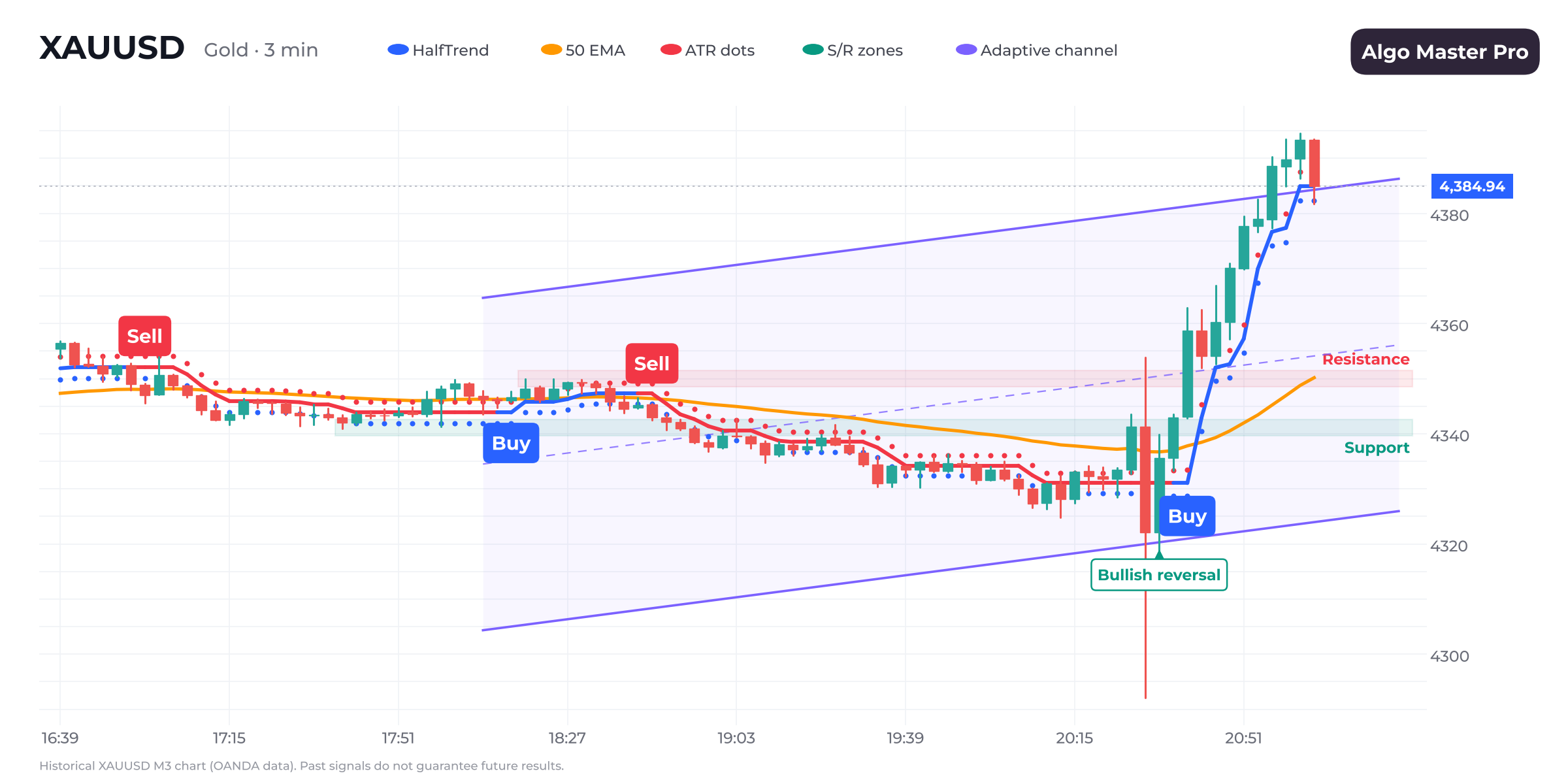
The trend line, the channel and the 50 EMA in one view
Algo Master Pro draws a HalfTrend line (blue in an up trend, red in a down trend) with ATR dots above and below it and an orange 50 EMA. A Buy appears only when the trend turns up and price closes above the 50 EMA; a Sell only when it turns down below it. Comes in M3 and M15 versions for XAUUSD.
-
Entry: the M3 version enters live after the signal holds for 15 seconds; the M15 version enters when the candle closes.
-
Stop loss and targets: the stop sits beyond the ATR dot of the signal candle. The first target closes half, the second closes the rest.
-
Repaint warning: on M3, if the signal disappears when the candle closes, you are alerted straight away.
See the signals in action
A replay of Algo Master Pro on real gold (XAUUSD) 3-minute data.
Your trades, your rules
The panel shows the trend, the last signal, your open trade with its stop loss and targets, the licence status and the next US news events in your local time.
-
Buttons for Auto Entry, TP Auto, Trading Hours and chart fit
-
Move the panel to any corner or collapse it
Trading hours
Trade only in the sessions you choose, for example 07:30-12:30 and 19:30-00:30. Open trades can close at session end.
Draggable levels
Drag the stop loss and take-profit lines on the chart; the EA updates the order for you.
Your local time
Hover any candle to see its time in your time zone, with time markers along the bottom of the chart.
Ready-made presets
Load tested settings for gold and Bitcoin in one click, plus PDF install and user guides.
MetaTrader 5, any broker, alerts on your phone
Every tool shares the same panel, filters and alerts, so once you know one you know them all.
-
Runs on MetaTrader 5 for Windows, or on a Windows VPS to keep it running 24/5.
-
Alerts to the MT5 mobile app and to Telegram.
One simple plan. Try it free for 30 days.
Every indicator and EA, every update, one licence key.
Algo Pro Suite
After your 30-day free trial
All 5 indicators + Expert Advisors for MetaTrader 5
1 live + 1 demo MT5 account per key
Ready-made presets for XAUUSD and BTCUSD
Free updates while subscribed
Phone, Telegram and email alerts
PDF install guide and user manual
Email support
Card required. $0 today, $29/month after 30 days. Cancel anytime.
Payments, the free trial and cancellations are handled securely by Whop. Your card is charged $29 per month starting 30 days after sign-up unless you cancel before then. You can cancel anytime in your Whop account, and access continues until the end of the paid period. Prices exclude taxes where applicable; the final price is shown at checkout. Trading involves a high risk of loss; see the risk disclaimer below.
One key for every tool
Your licence covers all the indicators and EAs on 1 live and 1 demo MT5 account. Move it to a new account yourself once every 7 days.
Protected and always up to date
Updates come through your Whop account; the files are protected and checked against your subscription.
No personal data collected
The EA only sends your licence key and MT5 account number to check the licence. No passwords, balances or trades.
Questions & Answers
Everything about the trial, billing and setup.
1. How does the 30-day free trial work?
Sign up on Whop with your debit or credit card. You get full access to every tool for 30 days and are not charged during the trial. On day 31 your card is charged $29, then every month after that.
2. How do I cancel?
Open your Whop account, go to your membership and click Cancel. Do it before the trial ends and you pay nothing. Cancel later and you keep access until the end of the month you paid for.
3. What do I get after signing up?
Your licence key and the download link appear in your Whop account straight away: the indicator and EA files, presets, alert sounds and PDF guides.
4. What do I need to run it?
MetaTrader 5 for Windows (desktop) or a Windows VPS, and an account with a broker that offers XAUUSD (gold) or BTCUSD. The MT5 mobile and web apps cannot run Expert Advisors, but they can receive alerts.
5. How many accounts can I use?
One key works on 1 live and 1 demo MT5 account for all the tools. You can move it to a different account yourself once every 7 days.
6. Do I have to let it trade automatically?
No. Switch Auto Entry off on the panel and you only get the signals and alerts; you place trades yourself.
7. Which timeframe and symbol should I use?
Each tool says which it is built for: most use the 3-minute chart, and Algo Master Pro has M3 and M15 versions. The presets are for XAUUSD and BTCUSD.
8. Will my results match the signals on TradingView?
Very closely, but not exactly. Your broker's prices and spread differ from TradingView's feed, so a few signals near a line can differ.
9. What is a "repaint" warning?
A signal can appear on a candle that is still forming and disappear before it closes. The EAs wait a few seconds before entering and warn you if a signal you traded disappears at the close.
10. Do I need to keep my computer on?
Yes, MT5 must stay open for entries and trade management. The stop loss sits at your broker, so it still works if your PC is off. A Windows VPS keeps everything running 24/5.
11. Is it easy for beginners?
Yes. The signals are simple and visual: a Buy or Sell label, the stop loss and the targets on the chart. You do not need to understand the maths behind them. Start on a demo account and read the PDF user manual.
12. Can experienced traders use it too?
Yes. Experienced traders use the indicators as a fast second opinion on trend, support/resistance and news timing, and switch Auto Entry off to keep full control of their entries.
13. Why is it optimized for gold?
Gold has tight spreads for its price, moves enough in a day for short-term targets, and reacts to scheduled US news that our news filter can avoid. The EAs and presets were tuned on XAUUSD. See our gold trading guide for details.
14. What markets can I use it on?
Any symbol your MT5 broker offers: Forex, Crypto, Gold, Silver, Stocks, Indices, Futures and other CFDs. The tested presets are for XAUUSD and BTCUSD, so test other markets on demo first.
15. Does it work on all timeframes?
The indicators work on every timeframe from M1 to D1. Most EAs are tuned for M3; Algo Master Pro also has an M15 version.
16. Can I use it for scalping and day trading?
Yes. Algo Scalper Pro and Algo Breakouts Pro are built for fast 3-minute trading, while Algo Swing Pro and Algo Master Pro M15 hold trades for longer.
17. Does it place trades for me?
Yes, if you want it to. Each EA can open the trade, set the stop loss and take profit and manage it. Switch Auto Entry off and it only shows signals and sends alerts.
18. How fast can I set it up?
About 10 minutes: copy the files into MT5, allow the licence server, paste your key and attach the EA. The step-by-step PDF guide covers every click.
19. Is profit guaranteed?
No. These are tools, not a promise of returns. Trading gold, crypto and CFDs carries a high risk of loss. Test on a demo account first and only trade money you can afford to lose.
20. How do I get help?
Email us at sellcloud.io@gmail.com with a screenshot of the EA panel and the last lines of the MT5 Experts tab.
Have any questions? Email us